Billing And Invoicing Software
Create quotations, sales orders and invoices in Grocom, record customer receipts and review amounts due alongside stock and accounting records.
Start One Month Free Trial Explore Workspace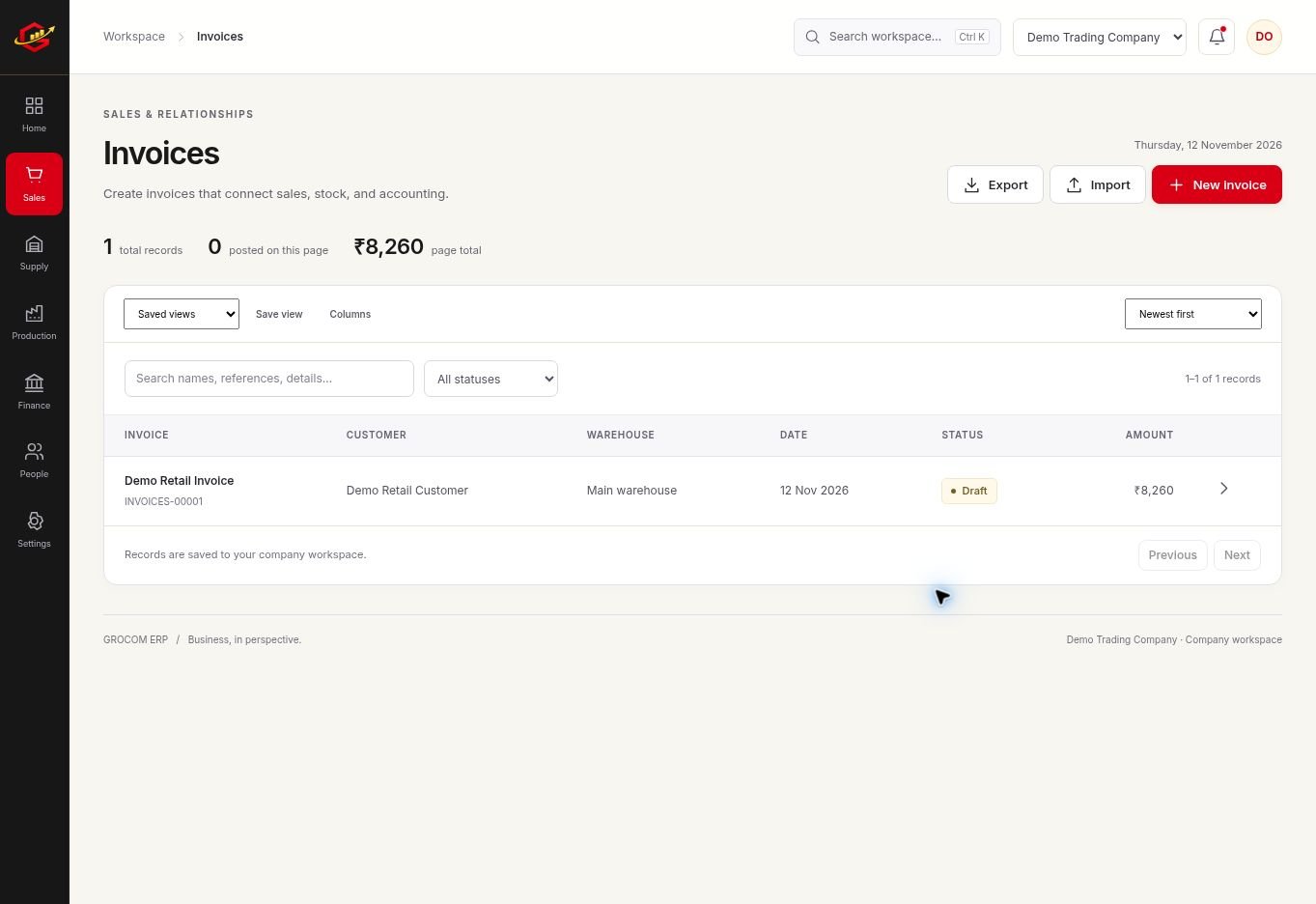
From Quotation To Invoice
Keep the customer, products, quantities and prices connected throughout a sale. Review the document before posting it. Use a sales order when you need to record an order before fulfilment, and use an invoice to document the billed sale.
Documents For Everyday Selling
Prepare invoice PDFs in A4 or supported 58 mm and 80 mm formats. Review business details, tax settings, discounts and rounding before sending an invoice. A clear document should identify the customer, the items supplied and the amount to be paid.
Collections Need Their Own Record
An invoice and a payment are different events. Record receipts and review customer balances rather than marking a sale as collected simply because an invoice exists. Returns and refunds also need their relevant records to keep dues understandable.
A Practical Workflow
- Create or select a customer and confirm the billing details.
- Add products or services, quantities, rates and applicable tax settings.
- Review, post and export the invoice PDF.
- Record the receipt and check the customer statement.
A ₹10,000 invoice followed by a ₹6,000 receipt leaves ₹4,000 to collect, before any credit notes or other adjustments. Compare the invoice and receipt records with the customer statement when checking an outstanding balance.
What To Check Before You Start
Tax fields and invoice PDFs do not mean direct GST return filing, e-invoice IRN generation or e-way bill integration. Those government services are not connected in this release. Confirm invoice requirements with your adviser.
Explore the workspace previews, review the current plans and activation terms, or contact Grocom support to discuss a requirement. The product FAQs explain imports, access and current integration limits.
Your Questions, Answered
Can I Print Invoice PDFs?
Yes. The billing workflow supports A4 and supported 58 mm or 80 mm PDF formats. Test your printer and layout during the trial.
Does Grocom File GST Returns?
No. This release supports tax information in business records but does not directly file GST returns or generate government e-invoice IRNs.
Can I Track Unpaid Invoices?
Record receipts against customer activity and review balances and customer statements to follow amounts due.